Продовжуючи використовувати цей сайт, ви погоджуєтеся з Правилами та умовами та використанням файлів cookie.

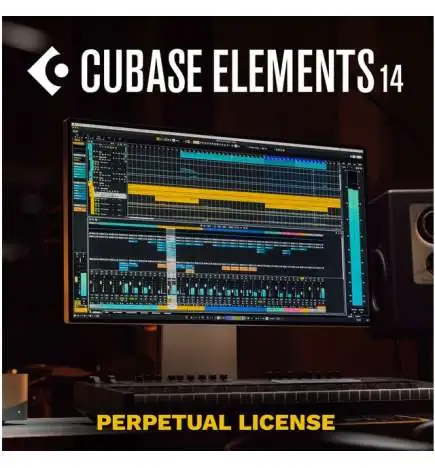
      Steinberg Cubase Elements 14 License Code
      Steinberg Cubase Elements 14 License Code
      Steinberg Cubase Elements 14 License Code
      Steinberg Cubase Elements 14 License Code
      Steinberg Cubase Elements 14 License Code

      Steinberg Cubase Elements 14 License Code

      91,35 €
      ВКЛЮЧЕНО ПОДАТОК
      В наявності
      Unlimited creative control with innovative tools, optimized workflows and advanced audio processing, in one DAW.
      кількість:
      Напишіть свій відгук

      EU3234363840424446USXX5XSSMLXLXXLXXLArm Length6161,56262,56363,56464,5Bust Circumference8084889296101106111Waist Girth6165697377828792Hip Circumference87919599103108113118

      • Безкоштовна доставка тисяч товарівБезкоштовна доставка тисяч товарів
      • 100% безпечні онлайн-платежі100% безпечні онлайн-платежі
      • Для повернення товару 30 днівДля повернення товару 30 днів

      Professional DAW for composers, producers & mixing engineers

      • Powerful digital audio workstation with award-winning 64-bit floating-point audio engine from Steinberg
      • Audio, MIDI and instrument tracks
      • Chord Pads and Chord Track for harmonic compositions
      • MixConsole with customizable channel strips and routing options
      • Comprehensive MIDI editing with quantisation, automation and other features
      • VST 3 support for virtual instruments and effects
      • Comprehensive notation and scoring functions
      • Customisation options for creative workflows
      • Stable performance and regular software updates
      • also available as Pro and Artist version
      Note: This version is a download license. No data carrier, no box or similar. Please inform yourself about compatibility, registration, download etc. on the manufacturer's website BEFORE purchasing. Registered software cannot be exchanged.


      This is new in Cubase Elements 14:

      • Revised Score Editor: Based on Dorico technology, allows for improved notation and creation of performance materials
      • MixConsoleview: Shows the entire MixConsole in the lower zone with the ability to rearrange channels via drag & drop
      • Video engine update: Support for 4K and 8K formats for improved video performance
      • Underwater effect: Create atmospheric spaces for vocals and lead instruments with the easy-to-use Underwater effect
      • Range Tool: The selection range tool has been further improved with many new features and optimised workflows.

      The all-in-one solution for music production

      Cubase Elements 14 is a comprehensive digital audio workstation (DAW) that offers music producers and composers a versatile platform for music production, editing and mixing. With a wealth of songwriting, recording and mixing tools, Cubase Elements inspires musicians of all genres. It combines easily accessible features, exciting instruments and effects, and an intuitive mixing environment. New features in version 14 include the revamped Score Editor based on Dorico technology, an optimised MixConsole in the Lower Zone, the Range Tool for improved selection options, the Underwater effect for atmospheric spaces and improved 4k and 8k video support for smooth video performance.


      Screenshot of the note editor

      Improved score editor and video engine

      The score editor in Cubase Elements 14 is now based on the advanced Dorico technology, which makes score editing considerably faster and more flexible. Composers and arrangers can create and edit scores with great accuracy. The revised editor simplifies the creation of performance material and provides a modern and powerful foundation for notation through Dorico integration.

      The updated video engine enables support for 4k and 8k video, making Cubase Elements 14 ideally equipped for audiovisual projects. This enhanced video support ensures smooth performance and seamless integration of high-resolution video material. The improved video performance thus creates optimal conditions for demanding projects.


      Clear working thanks to MixConsole and Range Tool

      Cubase Elements 14 takes the MixConsole to a new level by combining all channels in a single, clearly arranged view in the lower zone of the user interface. This makes the entire mixing process more efficient, as users have direct and immediate access to all relevant settings and adjustments. Channels can be rearranged using drag-and-drop, promoting a flexible workflow and seamless mix customisation. This user-friendly design makes it easier to work with more complex projects, as changes can be made directly in the view.

      The Range tool in Cubase Elements 14 has been optimised for even more precise editing. It allows you to precisely mark and edit specific sections of an audio track. This improved functionality opens up new possibilities for making selective changes, selecting audio ranges for detailed adjustments and efficiently implementing complex cuts or transitions. This makes editing projects significantly faster and more precise.

      Screenshot of the MixConsole


      Screenshot of the underwater effect

      Subtle to dramatic sound distortions

      The Underwater effect in Cubase Elements 14 offers a unique opportunity to create sound spaces with a special, atmospheric depth. With just a few settings, this effect creates impressive, subtle to dramatic sound distortions that are particularly suitable for vocals and lead instruments. The effect gives audio tracks a characteristic, "underwater" acoustic, characterised by gentle filtering and characteristic resonances. This makes it possible to create specific moods and soundscapes, whether for dreamy, spherical sounds or for targeted accentuations in the mix.

      Of course, Cubase Elements 14 also offers additional features such as Step & MIDI Input, Key Editor, Track Versions for video, Transport Bar and much more! The products Pro, Artist, Elements are available as download licenses. Students can also save a lot of money with the EDU versions! For more information and detailed comparisons between the versions as well as the requirements for purchasing an EDU version, please visit the manufacturer's website.

      System requirements Windows:

      • Operating system: 64-bit Windows 10 (version 22H2 or higher) or Windows 11 (version 22H2 or higher)
      • Processor: Intel Core i5 (4th Generation or better) or AMD Ryzen with 4 or more cores
      • RAM: At least 8 GB
      • Free disk space: At least 75 GB for the complete installation
      • Display resolution: At least 1440 x 900 (at 100% UI scaling)
      • Graphics: Graphics card with native Windows 10 support (Microsoft Basic Display Driver is not recommended), AMD R/RX series or NVIDIA 700 series or newer are recommended
      • VST support: Supports 64-bit plugins only
      • Internet connection: Internet connection required for activation, account creation and product registration

      System requirements macOS:

      • Operating system: macOS Sonoma or macOS Ventura
      • Processor: Intel Core i5 (late 2015 or newer) or Apple Silicon
      • RAM: At least 8 GB
      • Free disk space: At least 75 GB for the complete installation
      • Display resolution: At least 1440 x 900 (at 100% UI scaling)
      • Graphics: Graphics card with Metal support
      • VST support:
        • Supports 64-bit plugins only
        • VST 2 plugins can be loaded (with the exception of Native Apple Silicon) if the VST 2 plugin scanner is activated in the VST Plugin Manager
      • Internet connection: Internet connection required for activation, account creation and product registration


      Manufacturer information
      Comline GmbH
      Lise-Meitner-Str. 16
      24941 Flensburg
      Germany
      info@comline-shop.de
      www.comline-shop.de
      +49 461 77 303 300
      Steinberg
      PCM0018279-000

      Характеристики

      Manufacturer
      Steinberg
      Plattform
      Mac/PC
      Licensing type
      Download Manager
      Version
      Full version
      Boxed
      No
      Software type
      DAW
      Plugin Format
      VST 3 / ARA
      Remote Controllable
      No
      Bit-Rate recording
      32 Bit
      Maximum sample rate (kHz)
      192
      Included sounds (GB)
      18
      Surround support
      No
      Cloud Collaboration
      No
      Video
      Yes
      Music Printing
      Yes
      Maximum MIDI channels
      64
      Maximum input channels
      24
      Maximum audio tracks
      48
      Steinberg Cubase Elements 14 License Code

      Steinberg Cubase Elements 14 License Code

      91,35 €
      ВКЛЮЧЕНО ПОДАТОК